👋 About
Hi there! I'm Sergio, and I'm passionate about making trophy hunting more efficient and enjoyable for everyone.
As a casual trophy hunter myself, I've spent countless hours manually copying trophy data from TrueTrophies into spreadsheets. I love analyzing data, optimizing workflows, and finding better ways to track my gaming progress. That's exactly why I created PS Trophy Extractor.
This Chrome extension was born from my own frustration with repetitive manual work. Instead of spending hours copying trophy lists, completion percentages, and rarity data by hand, I wanted a tool that could do it all with a single click and export everything to CSV format.
While I may not have as much time for trophy hunting these days, I believe in giving back to the gaming community. This tool is my way of helping fellow trophy hunters focus on what matters most – enjoying the games and celebrating those hard-earned achievements.
PS Trophy Extractor is completely free and open-source. If you find it useful and want to support its development, consider buying me a coffee. Your support helps keep this tool maintained and free for everyone.
🚀 Features
Automatic Trophy Detection
Automatically detects and extracts trophy data from TrueTrophies game pages with one click.
CSV Export
Export trophy data in CSV format compatible with your existing trophy tracking tools and spreadsheets.
Easy to Use
Simple popup interface with intuitive controls. No technical knowledge required.
📸 Screenshots
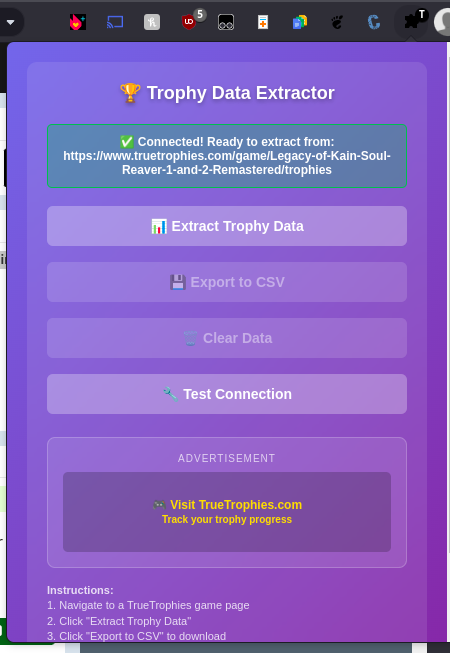
Extension Popup
Clean, intuitive interface for extracting trophy data
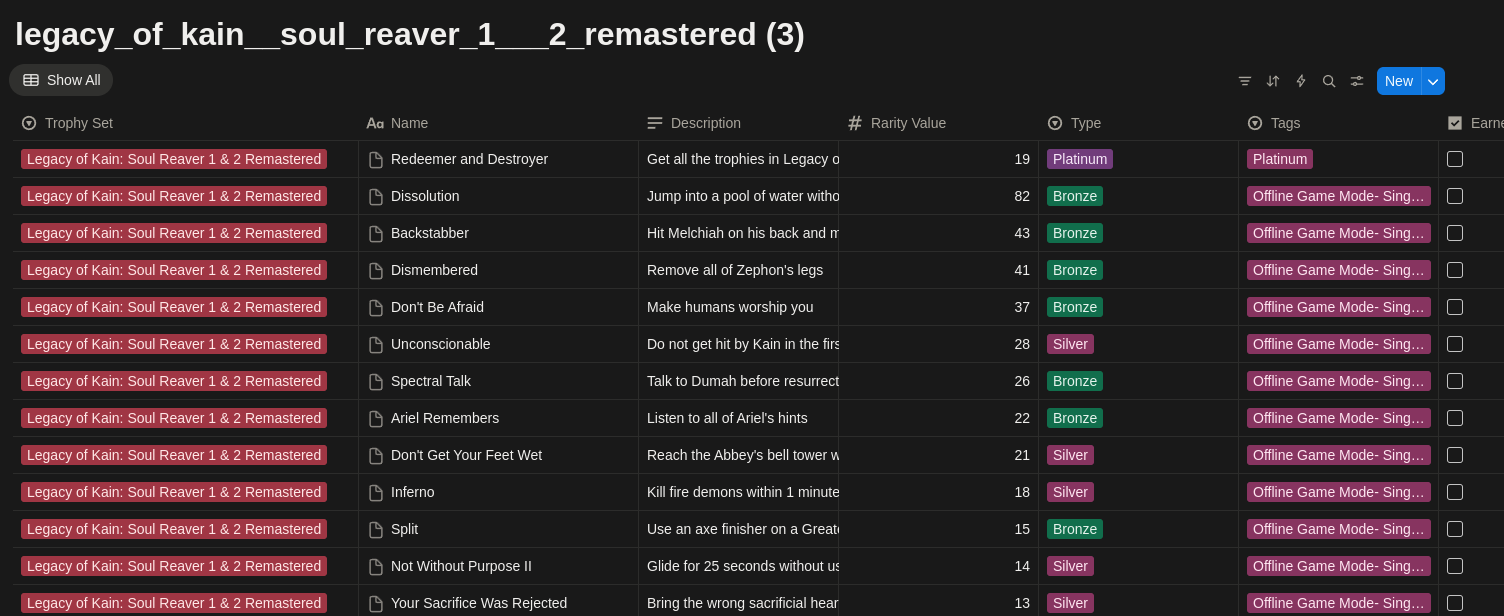
CSV Export
Structured data ready for analysis and tracking
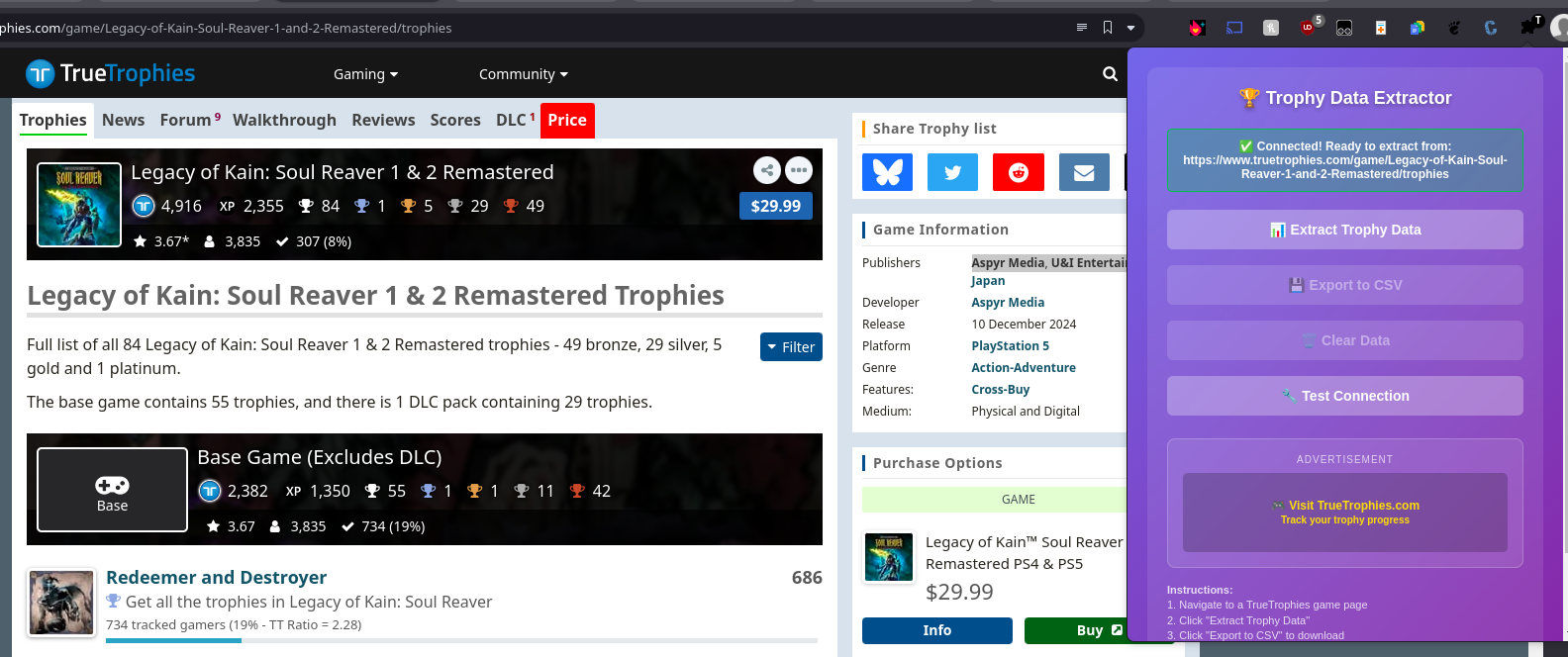
TrueTrophies Integration
Works seamlessly with TrueTrophies game pages
📥 Installation Guide
Install the extension
Click "Add to Chrome" and follow the prompts
Pin the extension
Click the puzzle piece icon in Chrome toolbar and pin the extension for easy access
Use the extension
Navigate to a TrueTrophies game trophy page and click the extension icon to extract trophy data
🎮 How to Use
- Navigate to any TrueTrophies game trophy page
- Click the extension icon in your toolbar
- Extract trophy data with one click
- Export to CSV format for your records
❓ Frequently Asked Questions
The extension extracts comprehensive trophy data including:
- Trophy title and description
- Trophy type (Bronze, Silver, Gold, Platinum)
- Sony rarity percentage
- TrueTrophies rarity data
- Trophy tags (Missable, Collectable, etc.)
Additionally, links to video guides and a custom score for each trophy are generated.
Yes! All data processing happens locally in your browser. The extension:
- Does not send any data to external servers
- Only accesses TrueTrophies pages you visit
- Stores data locally in your browser
- Respects your privacy completely
The extension works at the moment only on TrueTrophies game trophy pages with URLs like:
https://www.truetrophies.com/game/[game-name]/trophies
It automatically detects when you're on a supported page and enables the extraction features.
If extraction fails, try these troubleshooting steps:
- Refresh the TrueTrophies page and try again
- Make sure you're on a game's trophy page (not the main game page)
- Check that all trophies have loaded on the page
- Use the "Test Connection" button in the extension popup
- Check the browser console for detailed error messages
Absolutely! The exported CSV is compatible with:
- Microsoft Excel and Google Sheets
- Notion CSV Import
- Data analysis tools
- Backup and archival purposes
- Any other tool that supports CSV format
Yes! The extension is completely free to use with no limitations. There are no:
- Usage limits or quotas
- Premium features behind paywalls
- Subscription requirements
- Hidden costs
At the moment, the extension is only compatible with Chrome.
We plan to add support for other browsers in the future.